Going to try and get stable diffusion up and running again locally. In doing this I should bare in mind that what I’ll use on my macbook will likely be different from what I end up using for exhibiting my work, since the exhibition machine will probably be windows and I know there have been compatibility issues across the platforms.
I probably won’t write too much about getting SD installed on my machine apart from reminders to myself to be able to replicate the setup down the line if needed.
Once I have it running, I’m going to have a poke around with some of the code. One spin-off of stable diffusion that I saw online seemed to do something similar to what I want to do (saving inference steps as frames to create video).
I’ve been looking through the source code for a stable diffusion fork I’ve been using and trying to see if i can modify it to save the state of generated images before the final iteration so I can use these intermediate images as frames in a video. I want to look at the txt2img script for now because the fork I’m using for support on my apple silicon device does not support img2img, but it is img2img that I will need down the line. Regardless, hopefully doing this will help me understand how these scripts work in more detail.
I was looking through the code for the DDIMSampler that the txt2img.py script within the stable diffusion repo.
in txt2img.py I believe this line is where image generation happens samples_ddim, _ = sampler.sample(....)
I noticed that there is a variable that is not stored within this script and instead thrown by naming it _ (underscore). The sampler is a class defined in the DDIM file so I took a look within and found the definition of this function, it returns with return samples, intermediates
’m going to modify txt2img.py to use these intermediates and see what happens.
I modified some further lines in the tx2img.py script to do with intermediates the same as is done with samples and got an error File "/Users/fin/stable-diffusion/scripts/../ldm/models/diffusion/ddpm.py", line 713, in decode_first_stage z = 1. / self.scale_factor * z TypeError: unsupported operand type(s) for *: 'float' and 'dict'
I printed the dictionary the error referred to and i’m going to print the equivalent variable that passes through this function when sample is used and see how different they look.
Intermediates DDIM dict begins like this
{‘x_inter’: [tensor([[[[ 6.5849e-01, 6.7730e-01, -1.0739e-02, …, -4.1273e-01,
There are several more tensors in the x_inter array
edit: There are two dicts, one i didn’t see before called ‘pred_x0’, which looks very similar to x_inter in terms of content
samples ddim does not appear to be a dict and looks like this
tensor([[[[ 0.2425, 0.0844, 0.2552, …, 0.4108, 0.1835, 0.2267],
The content of the dict looks to be in the same format as samples so maybe I can get something if i access ddim_samples[’x_inter’][0]
if this works I’ll iterate through this array and save all samples and see what happens
x_intermediates_ddim = model.decode_first_stage(intermediates_ddim['x_inter'][0])
The above line worked to get an image out of the x_inters array.
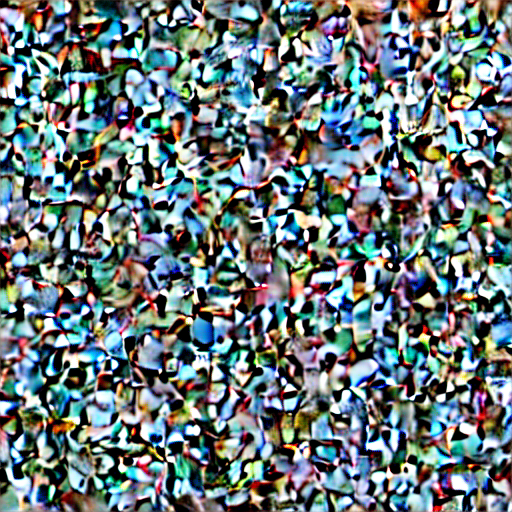
This looks exactly like what I need. Since stable diffusion starts with pure noise (as far as i know) I believe this must be one of the first steps in the denoising on the way to becoming a final image.
I’m going to try passing the whole array instead of just the first element as I think it may not be necesary to iterate through each element of the array within the text2img script.
This was wrong, it didn’t work, it seems like iterating through the array may be the best way to extract the individual images.
Another observation i’ve made is that within the x_inter array there is only 6 tensors, I’m assuming each of these tensors represents an image at some stage of denoising. Ideally I’d have more than this as I was under the impression that there should be around 50 steps in this process.
After some further poking, I changed the log_every_t arg in sample within ddim.py from 100 to 2 and this made both the dicts produce around 25 ish images. Changing this to 1 would produce 50.
After this, I’ve also been in uni trying to get something up and running on a windows machine and been using this version of stable diffusion. However I ran in to a few errors along the way.
Following the instructions on that github to get set up, I needed to manually conda install torchvision at a certain point and there was also some weird stuff happening with cuda where I needed to run the command conda install pytorch torchvision torchaudio pytorch-cuda=11.7 -c python -c nvidia
Even after this i am still getting an error – saying that cuda ran out of memory, I tried reducing the input but this didn’t work.
Bibliography
https://gist.github.com/karpathy/00103b0037c5aaea32fe1da1af553355